Features

Everything runs on your phone, using music you already have.

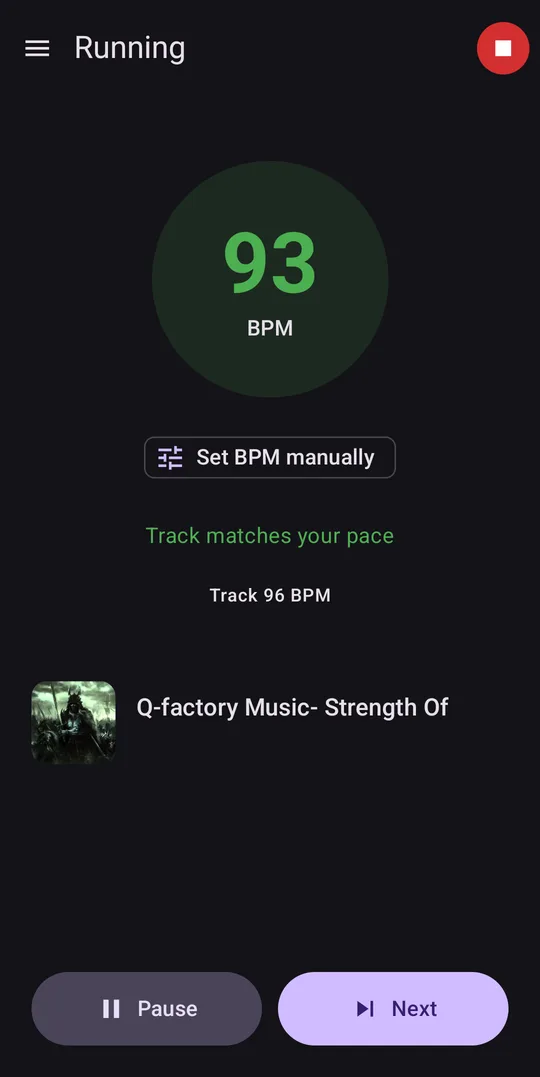
The running screen: a cadence of 93 next to a track at 96 beats per minute, with the message “Track matches your pace”.

Music matched to your pace

Bematist reads your steps per minute from your phone’s motion sensors and picks tracks whose tempo, in beats per minute (BPM), fits the pace you’re actually running. It switches automatically as your pace changes.

Half- and double-tempo tracks count as a match too, so a 172 BPM track suits a pace of 86 steps per minute, and the other way round.
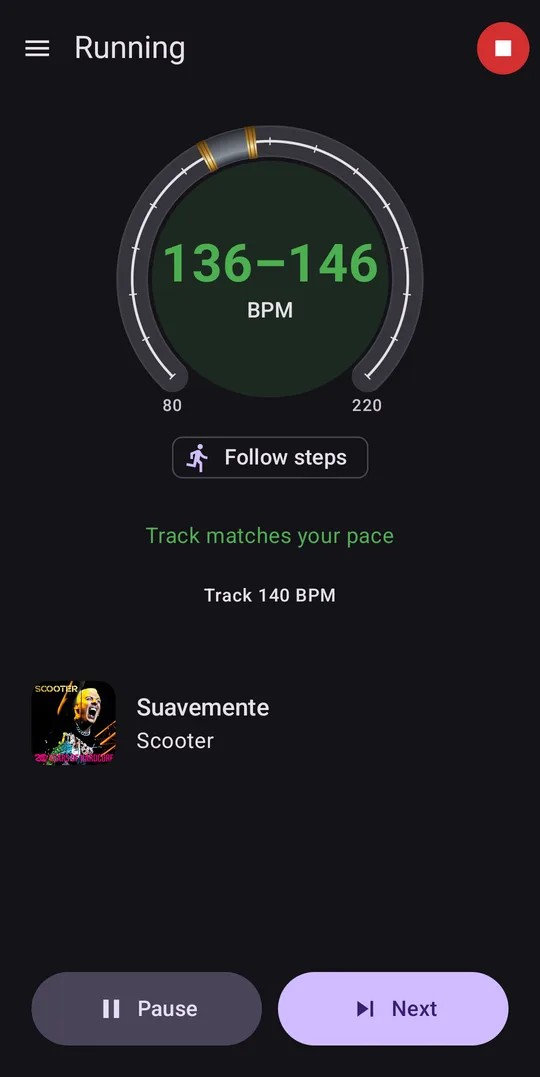
A dial around the tempo display, set to a range of 136 to 146 beats per minute.

Set the tempo by hand

The step counter can’t always be trusted, for example on a treadmill or with the phone in a bag. You can set the BPM range yourself during a run instead: drag it round the dial, and pinch to make it wider or narrower.

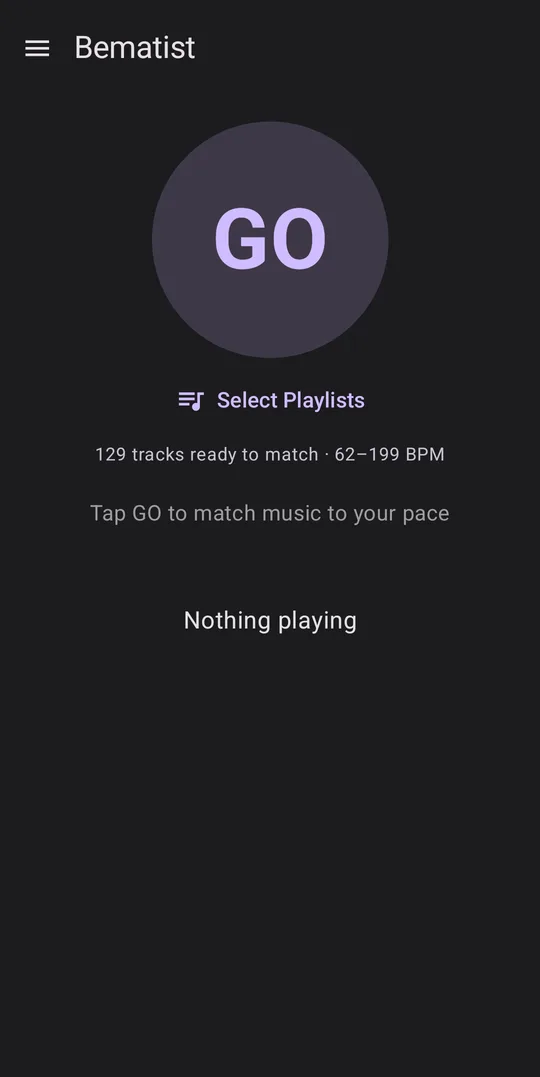
The start screen: a GO button above “129 tracks ready to match”, with tempos from 62 to 199 beats per minute.

Tempo analysis on your phone

Bematist needs to know the tempo of each track. If a music program has already stored it in the file’s tags as a BPM value, Bematist reads it from there. Otherwise it analyses the audio itself, on your phone.

Analysing a large library can take a long time, so keep the phone plugged in. It only has to happen once, because later scans skip anything unchanged. After that, matching works entirely offline, with no account, network or server.

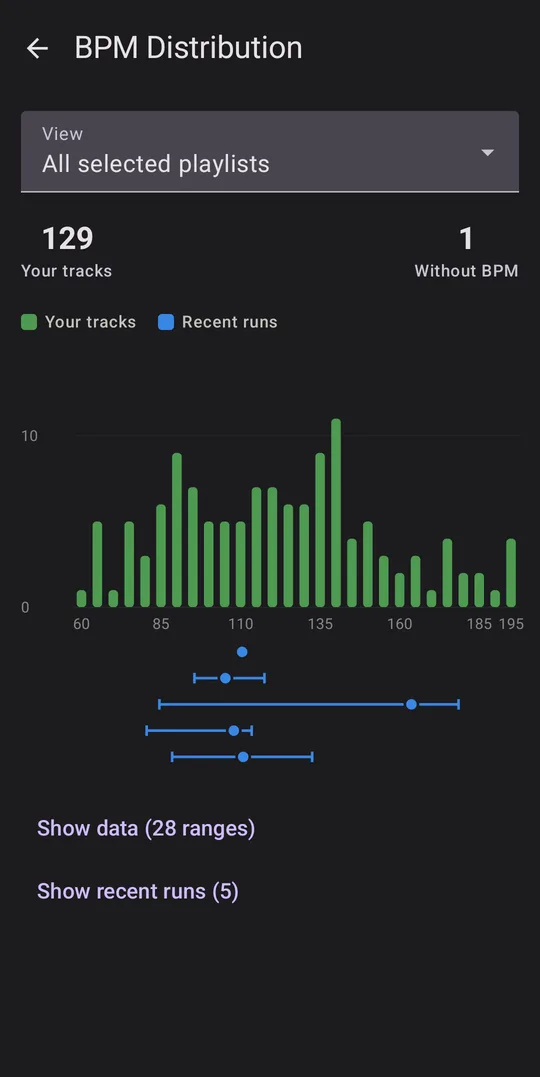
A bar chart of how many tracks sit at each tempo, above the cadence ranges of five recent runs.

See what your library covers

A chart shows how your tracks spread across tempos, above the cadence ranges of your recent runs. It makes it easy to see where you run at a pace your music doesn’t cover.

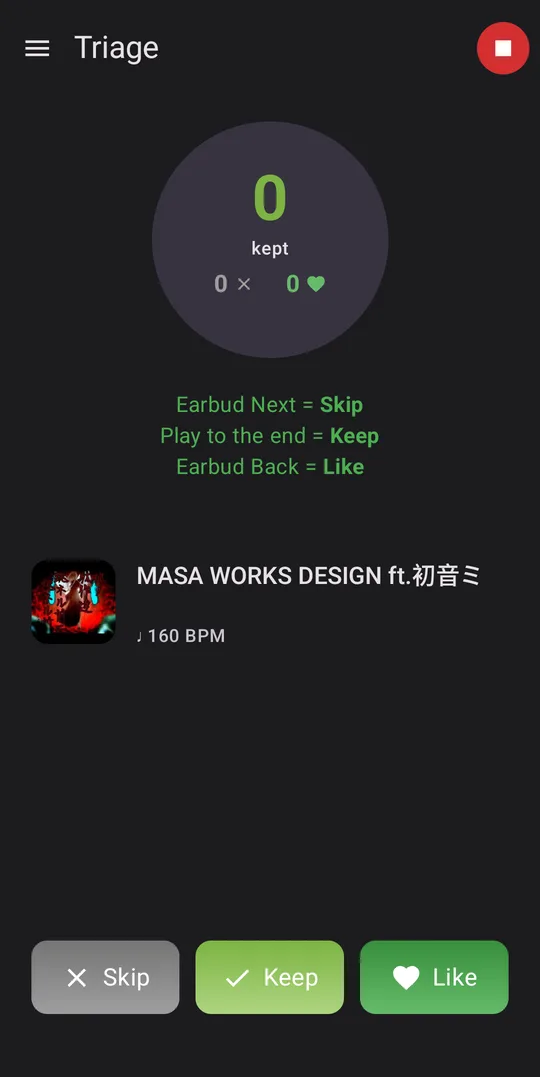
Triage mode with Skip, Keep and Like buttons. The earbud Next button skips a track and the earbud Back button likes it.

Triage: decide which tracks to keep

Triage is for music you haven’t sorted through yet. Play it during a run and decide on the go what to keep and what to discard, using your earbud buttons or the screen. It plays tracks one after another rather than matching your pace.

Tracks you keep or like go into playlists you can use on later runs. If you’d rather clear out a folder, prune mode permanently deletes the tracks you skip. It’s off unless you turn it on, and the app warns you before you start.

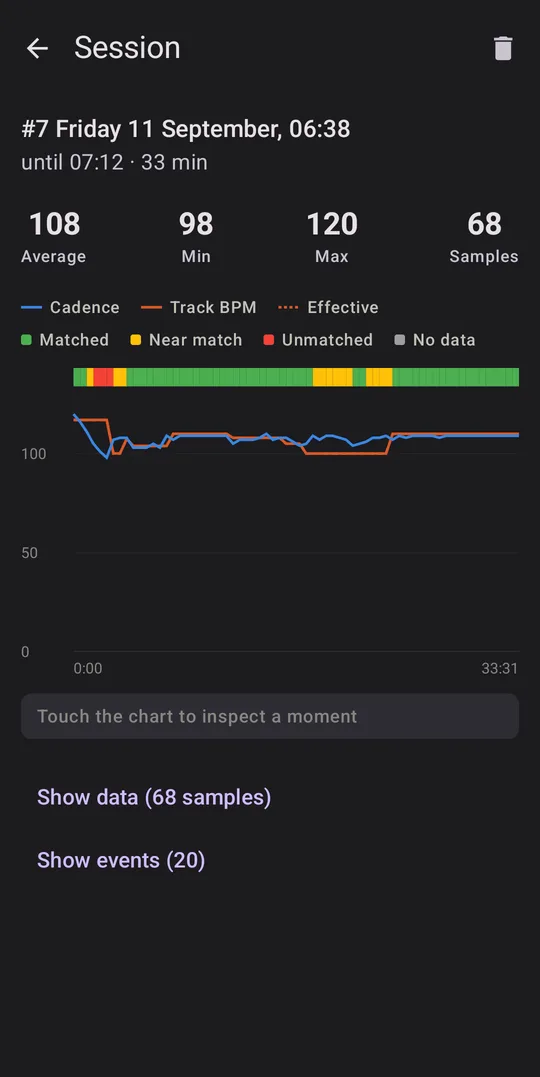
A session summary with a chart of cadence and track tempo over a 33-minute run, and a bar showing how well each moment matched.

Look back at your runs

Each run is logged with its cadence and track-matching detail. You can look through it afterwards in your session history and see how well the music fitted your pace.

Free and open source

Bematist is licensed under the GPLv3, and you can read the source code. It costs nothing and has no ads.